Runtime platform
The public preview is currently macOS-first. Use the release notes for exact architecture and version details for each build.
Docs
Use this guide to install or build Binnacle, create a least-privilege Cloudflare API token, connect a local workspace, and choose the right workflow for D1, R2, and KV.
Local-first
Install
Binnacle Preview.app.Requirements
The public preview is currently macOS-first. Use the release notes for exact architecture and version details for each build.
You need a Cloudflare account and an API token scoped to the account and products you want Binnacle to access.
On macOS, tokens are stored in Keychain. Source builds on other desktops require a working local credential store.
Download Safety
SHA256SUMS.txt, compare the checksum before opening the app.shasum -a 256 "Binnacle Preview-macos.zip"Compile
Use the source path if you want to audit the code, contribute changes, or run the app directly from a Rust checkout.
git clone https://github.com/binnacle-app/Binnacle.git
cd Binnacle
cargo check --workspace
cargo test --workspace
cargo run -p binnacle-app --bin binnacle
cargo fmt --all
To create a local macOS app bundle with the Binnacle icon, install
cargo-bundle and run the bundle command from the repository root.
cargo install cargo-bundle --locked
cargo bundle -p binnacle-app --bin binnacle --release --format osx
The desktop app uses Rust and GPUI. A current stable Rust toolchain is expected, and a full macOS GUI toolchain is recommended for native desktop work.
API Token
Binnacle validates your token with Cloudflare, then stores the token in your OS keychain. The token should grant only the Cloudflare surfaces you plan to use.
My Profile then API Tokens. For an account-owned token, go to Manage Account then API Tokens.Binnacle Local Desktop.Read-only D1
Use D1 Read when you only need to browse databases, schemas, and table data.
D1 workbench
Use D1 Write or dashboard Edit when queries may write, migrate, or delete data.
Full preview
Add D1 plus R2/KV read or write permissions only for the account and resources you plan to test.
To verify a token manually, use Cloudflare's token verification endpoint:
curl "https://api.cloudflare.com/client/v4/user/tokens/verify" \
  --header "Authorization: Bearer <API_TOKEN>"
A healthy token should return a successful response with an active status.
First Run
Connect Account.Binnacle stores the token in the OS keychain under the app's credential service. Account metadata, workspace state, panel widths, tabs, and local query history stay on the machine. Binnacle does not require a hosted account or credential relay.
Local Data
Cloudflare API tokens are stored in the OS credential store, not in the Binnacle repository or website.
Account metadata, tabs, panel widths, and query history are persisted locally so the shell can reopen your workspace.
Disconnect from inside the app to clear the active local session. For a full reset, remove local app state and the related keychain item.
If a token is exposed or no longer needed, revoke or rotate it in Cloudflare before reconnecting Binnacle.
Usage
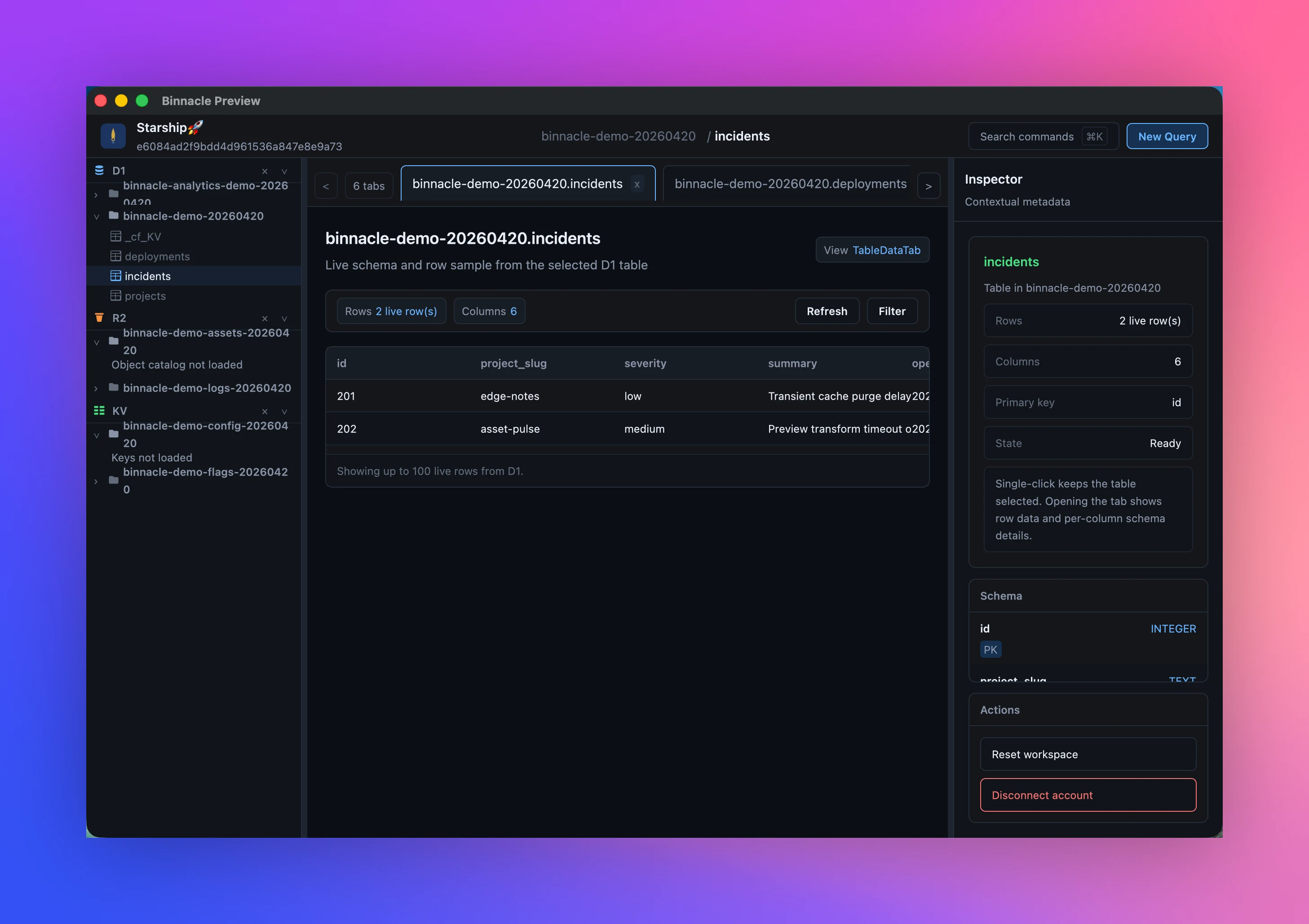
Browse live databases, inspect tables and schema, run SQL queries, and keep local query history close to the workspace.
Browse buckets and object catalogs, preview supported objects, upload or download intentionally, and avoid silent overwrites.
Open namespaces, inspect keys, refresh listings, and edit text values without leaving the desktop shell.
Scenarios
Keep D1 tables, schema details, and SQL queries in one persistent local workspace for daily application debugging.
Inspect R2 buckets, preview supported assets, and download exact objects without navigating through dashboard pages.
Review or update text-first KV values when a deployment, feature flag, or configuration key needs a direct check.
Keep Cloudflare data work in a native tool when browser sessions and dashboard account switching get in the way.
Troubleshooting
Check the token's account scope and product permissions. A valid token can still be too narrow to list D1, R2, or KV resources.
Return to Cloudflare API Tokens and confirm the token is active, not expired, and not revoked. Create a replacement token if needed.
Add optional User Details Read permission or enter a workspace label manually during setup.
Revoke or rotate it in Cloudflare immediately, then reconnect Binnacle with a new scoped token.